The BIOS:
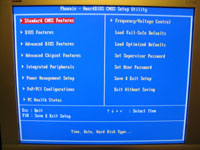
The BIOS has the fairly standard feel of an AwardBIOS, with a few screens of interest that I will cover in greater detail. The main screen is shown below, and for anyone who has entered their BIOS on just about any board, it should look at least somewhat familiar.
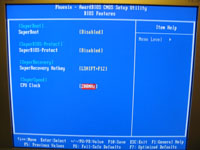
The BIOS Features screen is shown in the image below, and provides access to a few of FoxConn's "Super" utilities. SuperBoot speeds up the boot time of the computer, SuperBIOS-Protect locks your BIOS to protect it from viruses, SuperRecovery is called a "built in BIOS hidden partition" which makes recovering stable BIOS settings possible, and SuperSpeed is an overclocking feature which allows the frontside bus to be changed.
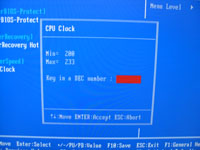
The image below shows the SuperSpeed feature highlighted and much to my surprise it reveals that the maximum overclock is 233 MHz. It seems a bit low to me, as I know my CPU and DDR can handle more and would always like the opportunity to 'optimize'. When mentioned to FoxConn, I was informed that a performance BIOS was in the works that would open up the frontside bus settings, as well as adding a various voltage adjustments.
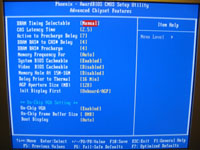
The Advanced Chipset screen is show below, and is not unlike those found on many modern systems. Memory settings are available here, as well as controls for the Intel Extreme Graphics 2. The onboard video shares system memory, and can be configured to use up to 64MB.
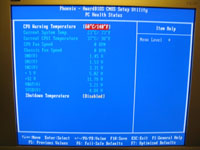
The PC Health Status screen is shown below, and provides a glimpse at key temperatures, voltages, and fan speeds. In addition, two operator controlled parameters allow a CPU warning temperature and a shutdown tempertaure to be set, in order to protect components from overheating.
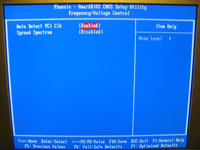
I was excited to see a tab in the main BIOS screen labeled "Frequency/Voltage Control", assuming I would find even more overclocking options for this board. When I clicked to enter that screen I was a little disappointed, and even confused, as I was presented with the screen shown below. These two settings weren't what I was expecting and definitely won't help with what I thought I could do on this screen.
Please read on to the next page for more... Next
Page 1 | Page 2 | Page 3 | Page 4 | Page 5 | Page 6 | Page 7
Home | Forum | Review Index
|
|



