The Basics:
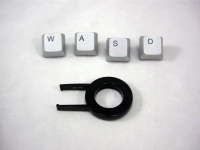
Inside the box you will find the keyboard, a key pulling tool, and silver replacements for the W, A, S, and D keys. The below left image shows each item individually sealed in plastic bags, while the below right image provides a close up of the key pulling tool and the silver replacement keys. As the primary keys for movement in video games, making the W, A, S, and D keys stand out can be useful for finding your controls quickly.
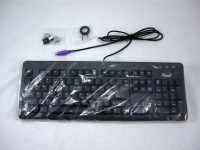
The next two images provide an overview of the keyboard's top and bottom surfaces. You might first notice that there doesn't seem to be anything exciting about the keyboard, and shortly thereafter you might notice the purple PS/2 connector. While plenty of computers can still use a PS/2 keyboard, USB is obviously the more popular, practical, and modern style of connector. Even if they didn't want to make the connection USB natively, Rosewill could have at least thrown in a PS/2 to USB adapter.
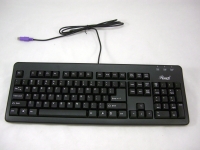
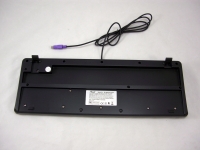
Taking a closer look at the keys in the images below confirms that there are no special keys that gamers might look for. In addition, none of the keys can be custom programmed, and there is no back lighting for any of the keys. While the black plastic used for the keys and the rest of the top surface does have a somewhat metallic appearance, I would not go as far as Rosewill did with their claim that it has a "polished top cover". I picture smooth and shiny when I think of something being polished, but this definitely has a rougher texture, which is good for keeping your fingers from sliding around.
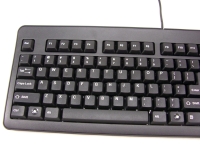
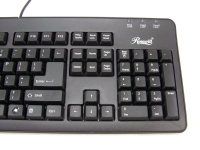
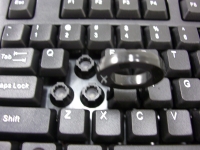
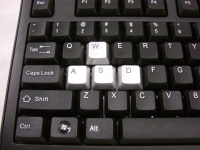
The final two images in this section show just how easy it is to change keys. You simply push the tool down over the key of your choice until it pops around the bottom edge to lock on. Then pull the tool up and the key will come with it. Then simply press another key into the exposed socket until it pops in to place. The below right image shows the four silver keys installed, and I have to say I like the looks of these keys offset from the sea of black around them.
 In Use:
After using the keyboard for a few days, I have to say it performs much better than I expected for something that costs about $15. The feel and response are decent, but it is a bit lighter than I prefer. Not much effort is required to press the keys, which may sound like a good thing, but I do like a bit of resistance. The key's return travel isn't as smooth as I am used to, as it actually feels like there is resistance keeping the keys from popping right back up to full height. I will keep using it to see if a bit of a break in period is required before the operation is as smooth as I would like.
One of the features Rosewill touts for making this a gaming keyboard is that you can press 11 keys at once without conflict. While it would be great if this meant any 11 keys, what it really means is that there are 11 specific keys (out of the 104) that can be pressed at once without issue. The problem here is that of the 11, you're not likely to ever need to press all of them since they do the same thing. The 11 keys include: Q, W, E, A, S, D, space, up arrow, left arrow, right arrow, and down arrow. The arrow keys typically do the same thing as the W, A, S, and D keys... And if you want to go left (A or left arrow), you're most likely not going to press to go right (D or right arrow) at the same time. I can see 5 keys at once being the practical maximum.



