The Basics:
While the retail packaged motherboard would come with a bit more, we received the review sample from
Mini-Box.com in a stripped down presentation as part of a bundle that included the
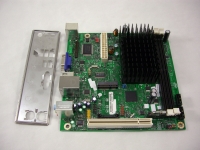
M350 Mini-ITX enclosure and 80W picoPSU. As pictured in the below left image, we received the motherboard and the rear I/O shield.
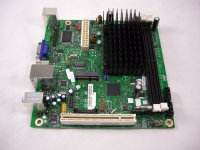
The above right image provides an overview of the whole board. One corner is dominated by a black heatsink that provides passive cooling to the 1.66GHz dual core Intel Atom processor. Other features visible in this bird's eye view include a pair of DDR2 memory slots, a PCI slot, a 24-pin power connector, 2 SATA ports, and a mini PCI Express connection.
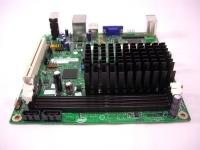
The below left image takes a look at one edge of the motherboard, where we get a closer look at the memory slots and SATA ports. The system can handle up to 4GB of either 667MHz or 800MHz DDR2 memory. While it is nice to have two memory slots on a Mini-ITX board, it would have been even nicer if the memory controller was dual channel. I guess for the expected performance level of such a system, single channel memory should be good enough. There are no PATA headers on this board, which is a great space saver, so for your storage needs you either have to use the two SATA headers (capable of 3Gbps), USB, or the mini PCI Express connection.
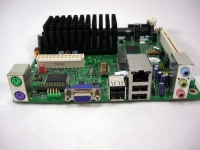
The above right image takes a look at the opposite edge of the board, where we find the rear panel connections. The layout is fairly basic and includes the following: PS/2 keyboard and mouse connections, 15-pin VGA connection, four USB 2.0 connections, a 10/100/1000 LAN connection, and three jacks to provide the analog 5.1 channel audio. You have everything you need to power a basic system, but it should be clear that multimedia wasn't the intended environment for this board. Having DVI or HDMI would be welcomed upgrades, and others may also like to see some sort of digital audio support, too.


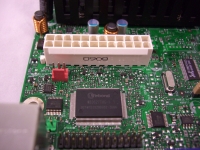
In the below left image we see the 24-pin power connection, as well as features like a parallel port header, (a sliver of) the serial port header, and a 3-pin fan header.
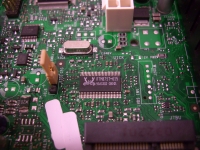
In the above right image we see the Realtek audio chip next to the BIOS configuration jumper, as well as a handful of unpopulated areas that have been screen printed for features not found on this board.



