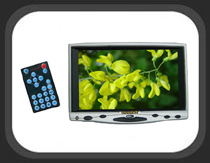
Accessories:
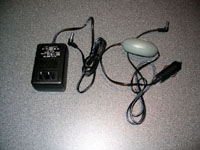
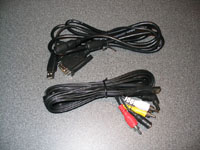
The items pictured in the four images below are also shipped with the Lilliput display. The below left image shows the 110V AC power adaptor and the 'egg' 12V DC power adaptor, making the Lilliput display ready for use at home or in the car! The below right image shows the two signal cables provided. One cable is for use with a PC, and provides a 15-pin VGA connection and a USB connection to control the touch screen. The other cable provides composite video and stereo audio, as well as a power cord extension. If you take a close look at this image, you will see it ends in a USB connection, to match the port on the side of the display.
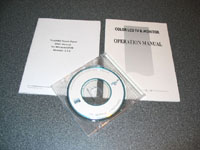
The below left image shows the touch screen user's manual, the display user's manual, and the mini CD with drivers and application software. The documentation is weak, at best. It is poorly written / translated, and references features that are not actually found on the unit I received. For example... Sketches detail a storage place for the touch screen stylus which does not exist, and the cables are described and shown in different configurations.
 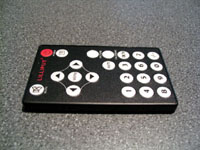
The above right image shows the compact IR remote control provided by Lilliput. Taking a closer look at the remote shows that it controls basic functions of the display, but also features buttons which may be useful with TV tuners or other devices. Not pictured, but also included, is a small plastic stylus used for operating the touch screen.
Software:
The display ships with a mini CD containing software/drivers for the Lilliput display, and updated drivers are maintained here. I initially installed the drivers from the CD, then upgraded to the 'Current" 3.2.1.2925 drivers online, and then got bold and tried the 'Beta' 3.2.2.3106 drivers. The beta drivers claim to address an issue with multi-monitors that I was apparently lucky enough to not experience. Regardless, all three versions installed smoothly, and all sport the same interface as pictured in the screens described below.
Please read on to the next page for more... Next
Page 1 | Page 2 | Page 3 | Page 4 | Page 5 | Page 6 | Home | Forum | Review Index
|
|