Joined: 07 Apr 2003 Posts: 20349 Location: New Jersey
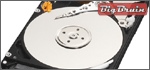
Posted: Thu, 13 Sep 2007 06:23:18 Post Subject: Western Digital Scorpio 250GB 2.5 Inch SATA Hard Drive
The 250GB Scorpio drive is a great addition or upgrade for anyone looking for the maximum storage possible in the 2.5" form factor. In addition to a traditional installation inside a computer, the 250GB Scorpio drive would make an excellent choice for use in a portable enclosure, and as tested it can even be used to upgrade to a Sony Playstation 3. - The Review
Posted: Sun, 14 Oct 2007 11:40:07 Post Subject: western digital 250 gb review
I made the WD 250 GB substitution in my PS3 before reading this article, works fine, same result with some unusable space. My question: What did you do with the Seagate 60 GB drive removed from the PS3? I tried to use mine in an inexpensive external USB enclosure, but neither the PS3 or my laptop recognize it as a drive. Any advice would be appreciated.
Joined: 19 Oct 2005 Posts: 2120 Location: New Jersey
Posted: Mon, 15 Oct 2007 09:09:27 Post Subject:
You need to repartition and reformat the drive.
Assuming Windows XP: Right click "My Computer" choose Manage. On the left hand side, choose Disk Management. Locate your 60GB hard drive, and you should be able to repartition and format your new drive. FYI, you cannot use FAT32 over 30GB. I used Linux to format the entire drive with FAT32. (If you have Linux I recommend using FAT32 for portable storage.)
You cannot post new topics in this forum You cannot reply to topics in this forum You cannot edit your posts in this forum You cannot delete your posts in this forum You cannot vote in polls in this forum You cannot attach files in this forum You cannot download files in this forum