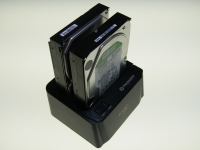
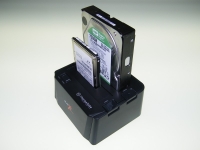
The Basics:
Despite being constructed primarily of plastic, I found the BlacX Duet to be a bit heavier than anticipated. It sits firmly on the desk making hard drive insertion and removal painless. The two drive removal levers aid in this process, but aren't necessary if care is taken when removing a hard drive. The top of the docking station features the power switch and ejection mechanism. Blue power / activity LEDs are incorporated directly into the power switch. They cycle on and off with the power and flash when there is hard disk activity.
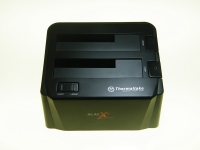
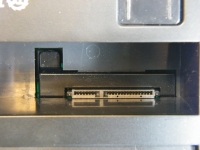
There is a spring loaded cover over each drive slot, but since they have cutouts for 2.5" hard drives, protection is incomplete if you don't have a drive in the slot. This is a minor point, but it does mean that users should check the slot for debris prior to inserting a drive. I do take issue with the power switch, not the button itself, but the switch underneath. I can't really find a way to describe it other than to say it feels cheap. The LEDs work great and the button is OK, but the switch underneath doesn't engage very solidly and gives the button a rocker like feeling that doesn't help the overall impression. It works, but could be a lot better.


Potential buyers should be aware that to utilize the BlacX Duet's dual drive capabilities with the eSATA interface, they will need a motherboard that supports SATA port multiplying. My current motherboard does not support this, so I was only able to test one drive at a time while using the eSATA interface. However, because the USB 2.0 spec includes port multiplying, everyone should be able to access both drives simultaneously while using the BlacX Duet's USB 2.0 interface. There is no mention of the port multiplying requirement on the external packaging, but it is mentioned on their website and on a small notice included with the quick setup guide. I would like to see this requirement mentioned on the box as well.
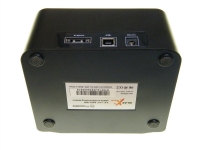
The USB 2.0, eSATA, and power connections are on the back of the docking station. Below, we can also see the four rubberized feet that keep the device squarely planted on the desk.
The BlacX Duet supports both 2.5" hard drives and 3.5" hard drives.